.svg)
Overview
NomadGo will make inventory counts easier, faster, and more accurate. To ensure this, products need to be stored in a specific way. The following guide will provide you with key foundational principles to ensure proper storage set up and facilitate the scanning experience.
| 1. Store like items per row. Front to back, all items the same. Stacking is ok! | 2. Push items to the back of the shelf. Products should all touch the rear edge. | 3. Keep labels forward facing. Try not to cut through the identifying labels. |
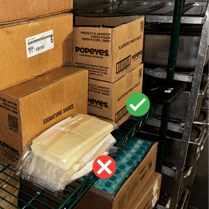 |
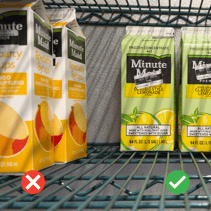 |
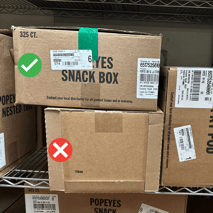 |
Consistency is key! Make these principles part of your daily habits to ensure your monthly, weekly, or daily counts run as smoothly as possible.
Putting Principles into Practice
1. Store like items per row
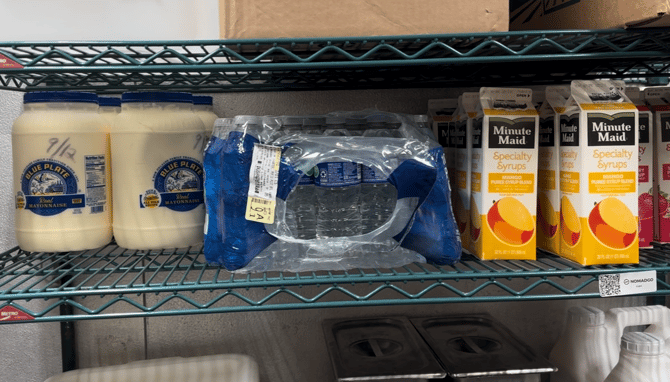
A row = one straight line of the same product, running from the front to the back of the shelf.
Like items = every product in that line must match exactly — same name, size, and flavor.
Mixing products in a single row (for example, mustard in front and ketchup behind) causes miscounts.
Keeping each row consistent helps the app quickly recognize what it’s seeing and count it accurately.
2. Push Items to the Back
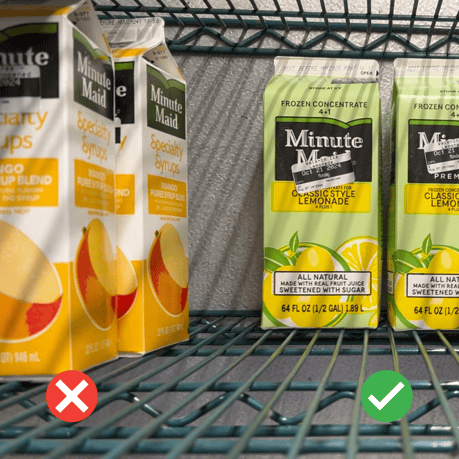
The back = the rear boundary of the storage space — where products stop when pushed backward. This might be a wall, a wire backer, or the back edge of a shelf.
Items should sit stably and consistently along that same back edge.
If pushing a product all the way back causes it to lean or tip, pull it forward just enough to stand flat — then make sure every row follows that same depth.
If all items can’t fit in a single line, start a new row.
If they stack safely with labels forward, stack them.
If they don’t fit at all, move them off-shelf and record them in the app using adjustments.
3. Keep Labels Forward Facing
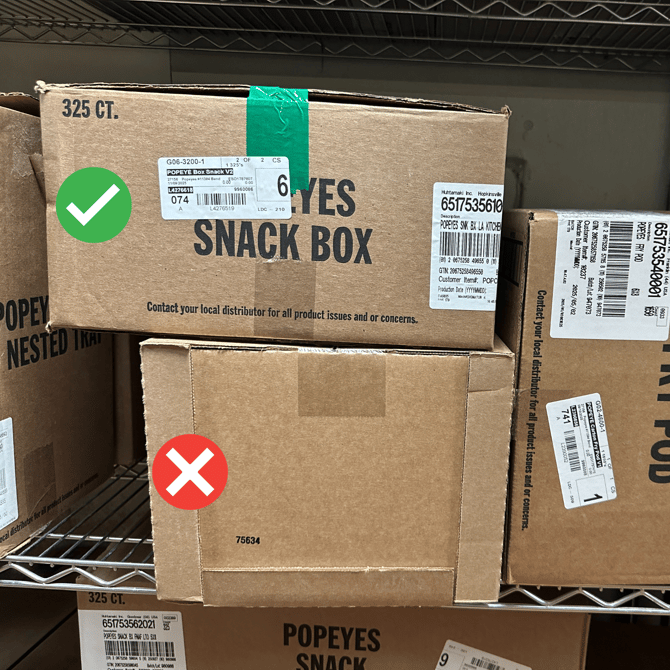
A label = any printed area on the product or case that shows identifying information—for example, a SKU number, product name, or both. If a product has more than one label, face the side that clearly shows the SKU number.
Labels should always display consistent details that match across all boxes or items of the same kind. Information like pack dates or pick dates changes too often and isn’t useful for identification.
Face every product’s label forward so it’s easy to see and read from the aisle or workspace.
This helps the app recognize products quickly and reduces errors during counting.
Avoid turning items sideways or backward, and don’t cover or damage the printed label when opening boxes.
Visible, consistent labels allow the app to identify products accurately—keeping your counts fast, reliable, and error-free.